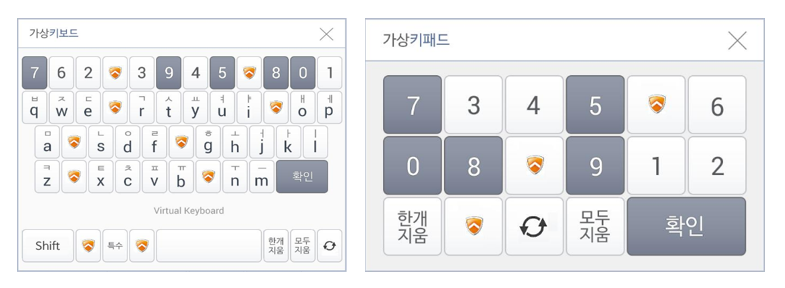
This product provides fundamental defense against keyboard hacking by entering keyboard input information using a virtual keypad on the screen of the PC & mobile web environment.
Securely protects input information with a virtual keypad and end-to-end encryption.
nProtect KeyCrypt VThrough virtual keypad, shuffle array, E2E encryption, and input value leak/manipulation prevention features. It is a virtual keypad solution that protects the password and account number input section for internet banking, electronic payments, and public services.
Encrypts keyboard and virtual keypad input values in real time to protect important input information such as ID, password, and account number.
Hacking and keylogger blocking
Detects and neutralizes attacks that intercept input values such as backdoors, keyboard hacking, and application hooking.
Compatible with various encryption algorithms
AES, SEED, RSA, It provides an input information protection system that is compatible with major encryption algorithms such as PKI.
Prevention of screen capture
Blocks screen capture when entering important information, reducing the possibility of information leakage through the input screen.
Easy service application
It is a structure that can be easily applied to web services and can be used in various input sections such as finance, public, and electronic payments.
Key Benefits
Key Benefits
01
Enhancement of key transaction information input security and guarantee of security work integrity
02
Constructing a password and account number input system without a physical keyboard
03
Supports various PC OS and browser environments
04
Provides Non-ActiveX security service without installing driver module
05
Separate support for numeric keypad and character keypad
06
Support for displaying uppercase and lowercase letters on English keypad
07
Provide function to prevent input value leakage and tampering
08
Support for customer security image customization
Keypad UI
Keypad UI
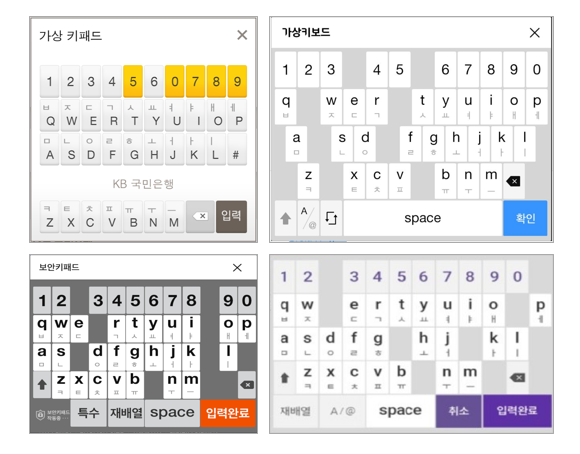
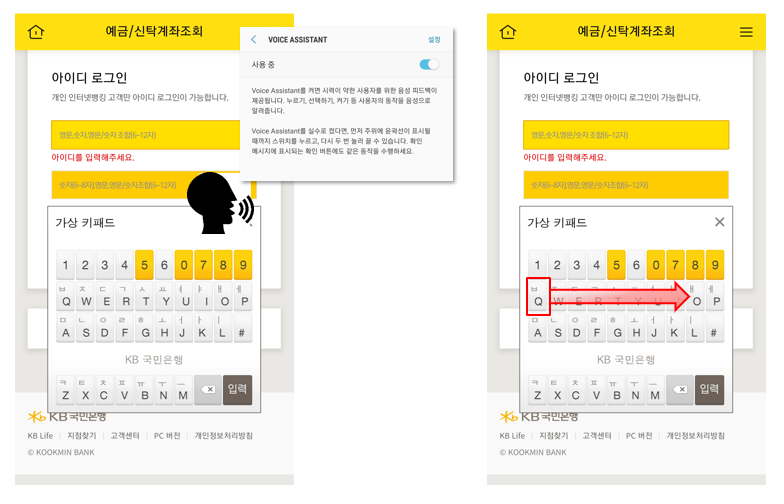
Various keypad arrangementsIt provides a variety of keypad arrangements, including QWERTY arrangement, number arrangement, shuffling of all numbers, shuffling of part of numbers, and adding a space button.Design customizationYou can customize the keypad image and arrangement according to the customer's design guide.Accessibility supportSupports voice readback and tab index functions to enhance user accessibility.
System Requirements
System Requirements
Software
Windows XP SP3 / Vista SP1 / 7 / 8 / 8.1 / 10 (supports 32 and 64 bits)
Hardware
Pentium 4 3.0Ghz or higher / RAM 1GB or higher / HDD 30GB or more
PS/2, USB, Bluetooth keyboard, wireless keyboard, etc. (required) Input device)
Browser
Internet Explorer 7~11, Edge, Chrome 20~30, Safari / Firefox / Opera